LMS platform

Adopt an LMS platform to transform your network's training

Training: A Headache for Multi-Location Networks? Are you in charge of a multi-location network? You’ve probably noticed just how difficult it can be to train your teams effectively. Whether it’s due to content that isn’t engaging enough, unsuitable tools, or endless administrative hurdles, training can quickly become a real headache. And yet, training your employees is essential to ensuring quality service and consistency across your entire network. So, how can you make training simpler, more accessible, and—above all—more impactful? The answer lies in three letters: LMS. An LMS (Learning Management System) platform can truly transform the way you manage training. Let’s see why. I. Why Does Training Pose So Many Challenges in a Multi-Location Network? 1. Training content is (very) expensive to produce Creating high-quality videos or interactive modules sounds great on paper, but it requires significant resources. Between filming, editing, and developing instructional content, costs can quickly spiral out of control. A single training course can cost thousands of euros, especially if you have to hire external vendors. For many companies, this is a major obstacle. 2. Existing tools don’t align with the realities on the ground Field teams operate in highly operational environments where every minute counts. Asking them to undergo lengthy training on complicated software is often a waste of time. Without mobile-friendly tools and short modules tailored to their schedules, the training becomes difficult to apply in their day-to-day work. 3. OPCO funding? A bureaucratic nightmare. If you’re a franchisor, did you know that your franchisees already contribute to fund their training? These contributions, collected by OPCOs, can cover a large portion of training costs. The problem? Accessing these funds is often a real obstacle course. Between complex administrative procedures, Qualiopi certification, and lengthy processing times, much of this funding goes unused. For many networks, this hinders access to ambitious training solutions. 4. Generic modules… a foundation to build upon for greater impact Generic modules, often available in catalogs, cover essential topics such as hygiene, safety, and management. They provide an accessible foundation for quickly launching a training program. However, every network has its own unique characteristics: processes, values, and operational needs. If these specificities aren’t taken into account, generic modules may fail to fully capture employees’ interest. By adding a touch of personalization, this content can truly transform training into a driver of performance. II. An LMS Platform: The Key to Simplifying Training 1. Centralize Everything for Greater Clarity With an LMS platform, say goodbye to scattered information. You can manage everything from a single tool: Track the progress of your network members. Manage learners and certifications. Access your training content at any time. No more juggling multiple software programs or Excel files: the LMS platform centralizes everything and saves you valuable time. 2. Make Training Accessible to Everyone Imagine a solution that your field teams can use right on their phones. Short, clear, interactive modules that they can complete between assignments. And even better: everyone can track their progress in real time, see which courses they’ve completed, and which ones are coming up. This tracking boosts their motivation and commitment to the training program. The result: greater engagement, fewer dropouts, and teams that are better trained and more confident in their skills. 3. Simplify training management Modern LMS platforms centralize all aspects of training, which greatly simplifies its organization. From a single interface, you can manage learners, track certifications, and measure the impact of your content. This reduces manual tasks and frees up time to focus on what really matters: effectively training your teams. 4. Tailor content to your specific needs With an LMS, you can access generic training catalogs (safety, hygiene, management, etc.) while developing modules specific to your brand. This ensures training that is customized, relevant, and engaging. III. Cerca Academy: A Comprehensive Solution for Multi-Location Networks 1. LMS, content, processes, and funding: all in one. Cerca Academy is more than just an LMS. Our solution brings together everything you need to effectively train your network: Intuitive, mobile-friendly LMS software, ideal for field teams. A catalog of generic content, with the option to create customized modules. Management of administrative procedures and OPCO funding to make your life easier. Full compliance with Qualiopi requirements to ensure your training programs are eligible. 2. A Solution Designed for Performance By centralizing your tools and streamlining your processes, Cerca Academy enables you to turn training into a driver of growth. Every employee enjoys a seamless and engaging user experience and can access relevant training at no out-of-pocket cost.  3. Tangible results for your network With 80% of OPCO funding redistributed directly to headquarters, you optimize your resources while providing your teams with high-quality training. It’s a win-win solution for both headquarters and every member of the network. Make training a driver of growth Training your teams doesn’t have to be complicated. With an LMS platform, you can finally simplify, structure, and maximize the return on your training strategy. And if you’re looking for a solution that brings everything together—from the platform to the content to funding—Cerca Academy is here to support you. 📥 Download our brochure and discover how to transform your network’s training today. Download the brochure You might also be interested in these articles:


build your network

Why and how to train your network easily? Discover our e-learning module designed for you

In a multi-location network, training isn’t a luxury—it’s a strategic tool. It ensures consistency in practices, helps teams develop their skills, and guarantees a uniform customer experience, regardless of the location. However, training your network can quickly become a headache: costs, logistics, follow-up… everything seems to get more complicated when teams are spread out. But here’s the good news: there are solutions! E-learning, combined with a high-performance LMS, offers a simple yet effective approach to overcoming these challenges. What if you could also discover an e-learning module designed specifically for the needs of multi-location networks? Let’s walk you through it. I. Why Has Training Your Network Become Essential? 1. Training Is an Investment in Your Network’s Success Imagine this: a customer visits two locations in your network. At one, they’re greeted with expertise and warmth; at the other, the teams seem ill-prepared. The result? Inconsistency that damages your brand image. Training your teams is therefore much more than just a matter of technical know-how: it ensures a consistent experience that reflects your brand’s values, no matter where you’re located. It’s also an excellent way to prevent performance gaps, motivate your teams, and improve customer satisfaction. 2. Training: A Powerful Business Lever Training isn’t just about “doing things right.” A well-trained team is a high-performing team. They have a thorough understanding of your products, quickly adopt new practices, and deliver consistently high-quality service. The result: Loyal customers who keep coming back; engaged employees who stay. It’s also a key asset for accelerating your growth. Effective training allows you to roll out your best practices across your entire network in record time. 3. Why Do Traditional Methods Have Their Limitations? In-person training, while important, isn’t always the best fit: It’s expensive: travel, lodging, logistics… the costs add up quickly. They tie up your teams: every trip means less time spent on other tasks. They lack flexibility: it’s difficult to coordinate an entire network around specific sessions. They make tracking progress difficult: Closely monitoring each employee’s skill development can quickly become a headache with traditional tools. In contrast, e-learning provides real-time visibility into the status of training programs and the progress of teams, thereby facilitating skills management across the entire network. With e-learning, you can offload training on topics that don’t require human intervention, such as procedures or tools. This allows you to focus your resources on collaborative or strategic workshops. In short, it’s the perfect ally for balanced learning. II. How Can You Easily Train Your Network Using an LMS? 1. What Is an LMS? A Learning Management System (LMS) is like your training control tower. It centralizes all your content, makes it accessible to your teams, and lets you track their progress in real time. With an LMS, you ensure consistent training across your entire network, without logistical complications. No more juggling dozens of resources or chasing down attendance sheets: everything is automated, organized, and traceable. 2. The Benefits of an LMS for Multi-Site Networks An LMS isn’t just convenient—it’s a real game-changer for multi-site networks. Here’s why: Centralization: Everything in one place, accessible to everyone. Flexibility: Your teams train at their own pace, wherever they are. Precise tracking: You can monitor progress and tailor your content to meet specific needs. Engagement: Interactive and dynamic modules for a motivating learning experience. With an LMS, it becomes much easier to track your teams’ skill development. You know exactly where each employee stands, which training courses have been completed, and which areas still need work. This level of visibility allows you to effectively manage training across your entire network. 3. Why does e-learning simplify everything? E-learning allows you to: Train faster, thanks to formats accessible anywhere and anytime. Customize learning paths to adapt to each team’s needs. Free your teams from logistical constraints while ensuring high-quality training. And the best part? It works just as well for technical topics as it does for soft skills, such as time management or leadership. III. Discover our e-learning module designed to easily train your network 1. A solution designed for demanding networks At Cerca.io, we know that training within a multi-location network requires more than just a simple tool. We believe that training should be enriching, interactive, and—above all—adaptable to the needs of each learner and the requirements of each network. Our e-learning module was designed to: Ensure consistency in practices across the entire network: Provide a consistent training experience, regardless of where your teams are located. Simplify training management: With a clear interface and powerful tools, you maintain a comprehensive overview of your employees’ progress. Adapt to your pace and priorities: Whether you want to provide quick training on procedures or develop complex skills over the long term, our solution is designed to evolve with you. 2. Your success, our mission: more than just a tool—a team by your side At Cerca, you’re never on your own with your software. We firmly believe that personalized support is the key to a successful rollout. Your dedicated Customer Success Manager supports you every step of the way: During onboarding to ensure a smooth implementation. During deployment to resolve any obstacles that may arise. Throughout your use of the platform, to help you maximize the impact of your training. With Cerca, technology doesn’t replace people—it supports them and helps them go further. Our dedicated team is here to support you and transform your training into a true driver of growth. 👉 Ready to take action?[…]

social networks

Modern news inspired by social networks

The redesign of our Cerca solution continues to transform our customers’ user experience. Today, we’re thrilled to introduce a key feature: Network News. Discover how this modernized, intuitive, social-media-inspired interface simplifies communication within a multi-site network. Direct Editing No more complex edits or labyrinthine interfaces! Cerca users can view, create, and edit their news posts all from a single page. Depending on their permissions on the platform, the interface adapts, and new options for editing and managing news appear. They can announce an event, share a success story, or provide an update with just a few clicks, simplifying communications management. Simplified Organization News items can be classified and organized into categories. These different news categories are created, modified, and managed directly from the network’s News page. This makes organizing posts much simpler. This feature helps maintain a clear and orderly content structure, making it easier for all network members to access information. A Social Media-Inspired Interface The new News interface has been redesigned to resemble the modern social media platforms we use every day. This means a visually appealing and familiar layout, with a news feed and filters that are still present but in a more modern format. This interface allows for faster adoption by users, thanks to its resemblance to the social platforms they’re already familiar with. Looking for a packaged solution that can also adapt to your needs? Join the Cerca revolution and request your free, no-obligation 1-month trial. Join the Cerca revolution You might also be interested in these articles:

IA

AI comes to Cerca

Everyone’s talking about it—Cerca has made it happen. ✨ Generative Artificial Intelligence (AI) is coming to your favorite collaborative platform. Chatbots, content writing assistance, accelerated training course creation… All these tools are essential, not only for network leadership but also for site managers and employees in their day-to-day work (keep in mind that fewer than 10 % will be using AI by 2024; source: 20th annual FFF/B.P survey). 🧐 We’ve prioritized them: AI is available in our mobile app for everyday use by field teams. 👉 Here’s an example of how it works: A franchisee or their employee consults your online operations manual by asking a specific question directly. The virtual assistant provides an immediate answer, allowing them to continue with their task and taking the pressure off your support teams. Many features enhance the user experience: unanswered questions are tracked and feed into your reporting and content updates; responses are filtered based on the employee’s role; and multiple languages are available for translating responses. Don’t get left behind. Integrate AI into your retail strategy today. Follow the lead of the 400 retailers who trust us. Join the Cerca revolution. Sign up for my free trial! Watch the video to see the first preview of this new feature ⬇ https://www.youtube.com/watch?v=Rr3-T7c6Ay0https://youtu.be/Vu3UyvYgur4https://youtu.be/axOpUZTk9Oc You might also be interested in these articles:

knowledge base

New Cerca Interface: Customize your knowledge base

We’re thrilled to share the latest updates on the redesign of our Cerca solution. This week, we’re highlighting our knowledge base—an essential feature for any multi-location network. A Clean, Modern Interface for Your Knowledge Base We’ve carefully redesigned the interface to be both modern and streamlined. This new look doesn’t compromise functionality, however. Every element has been designed to provide a smooth and enjoyable user experience. Visual customization options allow you to create an interface that perfectly reflects your network’s identity, while remaining elegant and professional. Enhanced customization Like the Home page, the knowledge base now features new customization options. With this new interface, you can add custom covers to your books using images, colors, and icons. This visual customization makes your resources more appealing and easily accessible, making it easier for your users to quickly identify crucial information. Simplified Editing Add and edit the content of your books and book groups directly from the knowledge base, without going through a complex administration process. This feature makes managing your resources more intuitive and efficient, ideal for quick and accurate updates. No more navigating back and forth through complex menus; everything is accessible in just a few clicks for optimized management of your documentation. Training and engagement of your network The knowledge base isn’t just a document management tool. It’s also a powerful way to optimize training and engagement within your network. By centralizing all your educational and informational resources in one place, you make it easier for your employees and/or franchisees to access information. Whether it’s procedure guides, training videos, or PDF documents, everything is now accessible in a seamless and intuitive way. Your Resources, Wherever You Are With the new knowledge base interface, accessing your resources has never been easier. Thanks to our mobile app, your employees can view and edit content from their smartphone or tablet, no matter where they are. This increased mobility allows for maximum flexibility and ensures that your teams stay connected and informed at all times, without being constrained by office access limitations. Control and security remain at the heart of our solution The security of your information is our top priority. You can always precisely control who has access to which resources. Advanced permission settings allow you to restrict access to sensitive documents and ensure that only authorized individuals can view or edit content—even though this is no longer done through the Administration menu. This feature is essential for protecting confidential information on your network. We’re confident that these improvements will help strengthen expertise and engagement within a multi-site network, while offering a more enjoyable and efficient user experience. Looking for a packaged solution that can also adapt to your needs? Join the Cerca revolution and request your free, no-obligation 1-month trial. I’m joining the Cerca revolution You might also be interested in these articles:

new cerca interface

New Cerca Interface: Customize your home page

We have some exciting news to share with you! Following the launch of our new mobile app, we’re thrilled to announce a complete redesign of the Cerca interface. We’ll be gradually rolling out this new Cerca interface over the next few weeks, starting with the home page customization. Discover these customization options ⬇ The New Cerca Interface: Customization and Flexibility Even More Visuals to Enhance the Platform It was crucial for us to strike a balance between modernity and customization for this new Cerca interface. Modern interfaces are often very minimalist, which can limit customization options. To address this challenge, we decided to offer the ability to place more visuals and arrange them as desired. This flexibility allows us to create a platform that reflects a network’s brand identity while maintaining a modern and elegant aesthetic. Our clients thus benefit from an interface that is both sophisticated and customizable, optimizing the user experience without sacrificing modernity. With this new Cerca interface, it’s possible to add and position dynamic carousels, eye-catching images, and personalized content—including rich text, videos, and more. A Tailored Welcome This customization of the interface to match a network’s brand image goes beyond mere aesthetics. It strengthens engagement and adoption of the solution within a network. With Cerca, multi-location networks can offer their members an online environment that resonates with their culture and values and is tailored to their use of the platform. Position your elements on your Home page and decide what to highlight: This could be the network’s latest news announcing the opening of a new location, or recent updates to your operations manual to keep your employees informed of the latest processes. The information and resources most important to network users are thus highlighted. Tailoring the interface to specific needs ensures a positive first impression and a more intuitive user experience for the network. A Dark or Light Menu Choose between a dark or light menu to align the interface with your visual identity and showcase your logo. This aesthetic flexibility allows you to highlight your brand colors. Whether you prefer a modern, minimalist look with a light theme or an elegant, sophisticated aesthetic with a dark theme, it’s all possible. Looking for a turnkey solution that can also adapt to your needs? Join the Cerca revolution and sign up for your free, no-obligation 1-month trial. I’m joining the Cerca revolution You might also be interested in these articles:
mobile application

A mobile application for multi-location networks

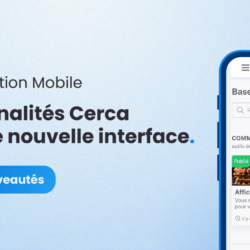
Our new mobile app for multi-site networks is designed to offer a modern, integrated user experience. Whether you’re in the field or in the office, our solution lets you manage your network efficiently and intuitively. In 2024, Cerca is revolutionizing the management of multi-site networks with a new mobile app that combines modernity and efficiency. With a new name, new services, and most importantly, a brand-new mobile app. 🚀🌟 Features synchronized between smartphone and computer This mobile app enables simplified and efficient management of multi-site networks wherever you are. Stay connected to your network at all times and perform tasks—from the simplest to the most complex—directly from your smartphone. Say goodbye to differences between the web and mobile apps with this app, now available on the Apple Store and the Play Store. Here are the first features available: Visit Reports Capture important details from each visit, add photos and comments, and submit your reports instantly, no matter where you are. This feature allows you to efficiently document your field activities without having to wait until you return to the office or bring your laptop with you. Workgroups Workgroups are dedicated spaces where you can collaborate on specific topics with certain members of your team, such as marketing, event planning, communications, or network development. Within these groups, users can chat via a dynamic discussion thread, share files and videos, and organize events related to the group’s topic. You can moderate, interact with, and manage these groups directly from the mobile app. Add or remove members, adjust group details, access related events, and share your resources—all from your smartphone. This enhancement makes managing groups faster and more intuitive, facilitating collaboration with your team no matter where everyone is located. Knowledge Base Every member of your network can check their smartphone at any time to access the knowledge you make available to them. This knowledge base is designed to centralize and organize your resources intuitively, making it easier for the entire network to access essential information. Create and edit your books directly from your smartphone, using cover images, icons, and colors for quick, visual identification. With this feature, training and knowledge sharing have never been easier or more accessible. Maintain a high level of competence and engagement within your network. Invite your locations and employees to access training materials. PDFs, videos, images, and text can be organized into different books and groups of books to group all your topics together. Share your content easily and effectively, while controlling access based on each person’s roles and responsibilities within your network. This feature ensures that every member has the information they need to excel in their tasks. Directory The app’s directory offers features designed to make it easier to get in touch with others and plan your travel. A shortcut for directions via Google Maps is available in this directory on the mobile app. It allows you to easily navigate between different locations without having to manually enter addresses, making field staff’s travel more efficient. Network News Your network’s news takes on a new dimension with an interface inspired by social media. View the latest announcements, important updates, and events in an intuitive and visually appealing format. It’s the ideal way to stay informed and connected with your network. Instant Messaging Cerca provides a WhatsApp-style instant messaging service to enable fast and efficient communication. In addition to an email-like messaging system, this chat feature lets you communicate in real time with a single person or create group chats. Quickly discuss any topic with your colleagues and network members. Communication Logs This feature allows you to log all communications within your network. With this feature, you can keep a complete record of all communications, ensuring total transparency. You can see at a glance the time allocated to each location or team member and quickly identify those with whom communication is frequent and those with whom there is little interaction. This allows you to pinpoint locations that may require additional follow-up and to reconnect at the right time. By centralizing and analyzing these interactions, you can optimize communication and engagement within your network, ensuring more effective and proactive relationship management. Join the Cerca Revolution To learn more and discover how our app can transform your network management, contact us today. Join the many users who are already benefiting from this technological innovation and improve your network management with Cerca. I’m joining the Cerca revolution You might be interested in these articles:
project

5 features to simplify your project management

Whether it’s opening a new location, carrying out renovations, or implementing a new tool… You know just how complex project management can be within a franchise network. 😵 Coordination, communication, and customization: these elements are essential to ensuring the success of every project and require the right project management tools. Every month, our clients share their development requests with us so we can create a 100 % solution tailored to the realities of their work as franchisors. Here are 5 new features requested by our clients to create the ideal project management tool for franchise networks 💡: 💬 Comments on project tasks✏️ Editing tasks in a project template without having to generate the task👥 Projects and tasks assigned to a workgroup🤝 Multi-project support for candidates⏳ Backward planning for project scheduling 1. More interactive collaboration with task comments 💬 Communication is at the heart of every project. To improve collaboration among project members, we’ve introduced the ability to add comments to tasks. This simple yet powerful feature allows different stakeholders to communicate transparently about their tasks. It’s much easier to track discussions related to a specific task. This makes it simpler to maintain a clear understanding of the project’s overall progress. This transparency strengthens collaboration within a team, encouraging members to work together, share ideas, and provide feedback to continuously improve the quality of your projects. 2. Greater flexibility when editing tasks from a project template without generating them ✏️ We’ve redesigned project management to allow you to edit tasks from project templates without having to generate those same tasks. This feature offers complete control over project customization. No more need to recreate similar tasks for every project or generate tasks in advance just to edit them. Quickly and efficiently tailor each task to the specific needs of each project, while maintaining the basic structure. This helps prevent oversights or inconsistencies by adapting tasks to the reality of the current project. 3. Structured collaboration with tasks assigned to a workgroup 👥 Imagine this: a member of your operations team or someone from a department within your network needs to communicate with your future franchisee regarding a project to open a new location. However, maintaining this task assignment becomes difficult as team members join and leave the team. How can you keep this communication running smoothly despite changes in staffing? After all, team collaboration is essential to successfully completing a project. That’s why our platform allows users to create workgroups. These user groups make it easier to share resources and discuss complex topics. For example, you can create a workgroup to discuss preparations for an upcoming event or a group for a specific department within the organization (e.g., the Marketing department). With our new feature, you can assign a workgroup to a project or a task within a project. This simplifies work distribution and coordination among team members. Assign your projects or tasks specifically to a particular workgroup to ensure sustainable project management. No task will be overlooked when an employee is absent or when changes occur within your teams. This approach ensures that every aspect of the project is handled efficiently and contributes to its overall success. 4. More Collaboration, Fewer Constraints with Multi-Project Management for Franchise Candidates 🤝 A franchise-specific project management tool should allow you to collaborate with your franchise candidates on multiple different projects. It’s important to be able to segment different projects with your future franchisees based on various aspects, whether they involve store openings, renovations, or other initiatives like multi-franchise operations. You need to be able to manage the opening of different retail locations and brands with the same franchisee.  Ideally, you should have a dedicated candidate portal where prospective franchisees can find all your information in one place (documents, projects, network news). This helps attract more franchise candidates by ensuring a seamless application process and enhanced collaboration during projects. 5. Optimal time management with backward planning for projects ⏳ This feature automatically generates a backward schedule for projects based on task dependencies. The goal is to provide clear visibility into the number of days each task takes, project deadlines, and the time required to complete the project as a whole, as well as each task individually. This structured approach helps ensure deadlines are met and guarantees that all project components are completed on time. Reverse scheduling is therefore an essential tool for planning the execution of your projects. Whether it involves construction work or the opening of a new location, projects in the franchise industry are often complex and require meticulous monitoring to leave nothing to chance. This strategic method allows you to plan the key stages of the project, starting from the desired launch or completion date. It breaks down each task required to meet this timeline, providing a detailed chronological overview. By adopting this approach, you can better manage the timing of each stage of the project. The goal? To identify critical milestones and anticipate deadlines for a successful outcome. Project management within a franchise can be a real challenge. Cerca’s five new features were requested by our customers to simplify their work with a user-friendly interface, customization tools, and smoother communication. More than just project management, our solution offers you[…]

visit reports

6 indicators for an overview of your visit reports

Site visit reports play a crucial role in the effective management of a franchise network. They allow you to track the performance of each location, identify trends, and take steps to ensure quality and consistency across the entire network. To get a comprehensive overview of your site visit reports, it’s essential to focus on certain key metrics. In this article, we’ll explore six of these metrics that will help you better understand the state of your franchise network. 1. Network Coverage The first metric to monitor is your network coverage. It’s essential to know how many locations were visited over a given period. Comprehensive coverage ensures that every outlet is accounted for, helping to maintain the consistency of your brand and concept. If certain locations are overlooked, disparities can arise. By monitoring this figure, you ensure consistent management of your network. 2. Visits by Area Manager For more effective management of your franchise network, it is essential to track the work of your area managers. You can create a table for each area manager that lists and summarizes the various visit dates, the locations audited, the visit reports completed, and the status of those reports (not finalized by the franchise coordinator, finalized but not reviewed by the franchisee, finalized and reviewed by the franchisee, signed by the franchisee, etc.). This tracking of visits by area manager provides you with a clear overview of the distribution of the workload among area managers and the progress of the visits. 3. Visit Frequency Visit frequency is another crucial indicator. It refers to how often each location is visited. It is common to adjust the frequency of visits based on the specific needs of each store. For example, a new location may require more regular monitoring during its first few months of operation. By monitoring visit frequency, you can ensure that each location receives the necessary attention. 4. Overdue Visits Additionally, overdue visits are an indicator that deserves special attention. You need to know if any visits were conducted outside the scheduled timeline. Overdue visits can impact the quality and consistency of your network. By monitoring this metric, you can take steps to ensure that all visits are conducted in a timely manner. 5. The Performance of Each Location Every network has its own system of ratings or performance metrics for its locations. This performance evaluation provides a detailed view of the quality of each point of sale. To get an overview of these various visit reports, it’s helpful to quickly compare the performance of each of your locations against the network’s average performance. A look at the average score per visit helps you understand your network’s strengths and weaknesses. You can then make informed decisions to improve overall quality or focus on a location that requires special attention. 6. The Rate of Signed Visit Reports Visit reports serve as legal proof of the adequate support you provide to your franchisees. It is therefore essential to ensure that these visit reports are duly signed by the audited franchisees. Identifying how many visit reports are pending signature allows you to closely monitor the location follow-up process and take action to contact those who are behind schedule. Automate this analysis with weekly visit reports. Visit reports are an essential tool for managing a franchise network. By focusing on key metrics, you can gain a comprehensive overview of your network’s performance. This allows you to maintain consistency, quickly identify issues, and take steps to improve the quality of your entire franchise network. But analyzing data from visit reports to distill key insights is time-consuming. That’s why Cerca is committed to providing its clients with tools to make their day-to-day operations easier. Every week, a “Weekly Visit Report” containing all the points we’ve discussed above is automatically generated from the data processed by our tool following the various visits conducted. These reports are sent to franchise development managers and anyone who needs a comprehensive, summarized overview of the visits conducted within a network. They provide a summary of the visits for each audited location and enable quick, informed analysis. This makes it much easier to quickly identify whether a location has a significant issue, whether visits are being conducted on time, and whether the workload is properly distributed among the various coordinators. Furthermore, these reports provide peace of mind by tracking the progress of visit reports and confirming whether they have been duly signed by the audited franchisees. This enables immediate action to be taken to correct issues and maintain quality and consistency within a franchise network. Naturally, these weekly reports on site visits are accompanied by other, more advanced statistical tools to provide a comprehensive view and a more actionable summary. Discover our solutions to double your operational performance. You may also be interested in these articles:

multidimensional diagrams

Multidimensional diagrams: the tool for greater responsiveness

Pourquoi utiliser les diagrammes multidimensionnels pour vos rapports de visite ? Dans le monde complexe de la franchise, chaque implantation est une pièce unique du puzzle. Les franchiseurs ont compris depuis longtemps que le succès de leur réseau repose sur la performance de chaque point de vente. Mais comment s’assurer que chaque implantation fonctionne au mieux de ses capacités ? La réponse réside dans la capacité à identifier rapidement les corrections nécessaires. Mais le défi est de taille, puisqu’il faut garantir la cohérence et la performance dans un réseau qui peut s’étendre sur de vastes régions géographiques. Chaque implantation a ses propres particularités, son propre marché local, et ses défis spécifiques. C’est là que réside le défi majeur pour les franchiseurs, à savoir comment maintenir la qualité et l’efficacité dans un réseau diversifié. La réactivité est la clé de la gestion d’un réseau de franchise prospère. Les franchiseurs doivent être en mesure de rapidement identifier les problèmes, les opportunités et les ajustements nécessaires. Une franchise prospère est une franchise agile. La vision claire et rapide des performances des implantations est essentielle. Les franchiseurs ont besoin de savoir quelles implantations sont en tête, lesquelles nécessitent une attention particulière, et comment apporter des corrections rapidement pour maintenir la qualité et la cohérence de l’ensemble du réseau. La question cruciale reste : comment obtenir une vision synthétique et rapide de l’état de chaque implantation dans mon réseau ? La réponse réside dans l’utilisation d’outils pensés pour la gestion de franchise. L’idéal est un logiciel de gestion de franchise avec un module d’audits avancés permettant aux franchiseurs de visualiser les performances de chaque implantation en temps réel, d’identifier rapidement les tendances, et de prendre des mesures immédiates pour améliorer les résultats et s’assurer de la bonne mise en place du concept et des préconisations de l’enseigne.  C’est pour répondre à ce besoin d’amélioration de la performance des réseaux de franchise que Cerca alimente constamment sa solution en nouvelles fonctionnalités. La dernière nouveauté ? Les diagrammes multidimensionnels qui offrent, en un coup d’œil, un aperçu de la performance d’une implantation sur chaque pilier d’un concept. Cet indicateur clé, présenté de manière simple et claire, permet de comprendre instantanément où se trouvent les points forts et les faiblesses d’une implantation. Une telle visualisation synthétique des données est inestimable pour les franchiseurs et un gain de temps considérable pour les animateurs. Vous l’aurez compris, disposer de toutes les données sur la performance est essentiel, mais parfois, il est tout aussi crucial de pouvoir saisir l’essentiel en un clin d’œil pour réagir rapidement face aux problèmes nécessitant une intervention immédiate. Grâce à ces outils, comme les diagrammes multidimensionnels, les franchiseurs peuvent aller à l’essentiel pour prendre des décisions informées et améliorer la performance globale de leur réseau au lieu de passer des heures à analyser des rapports détaillés. Vous êtes à la recherche d’une vision complète, claire et synthétique des performances de vos implantations ? Découvrez comment Cerca peut vous aider à animer votre réseau avec brio ! Prêt à simplifier la gestion de votre réseau ? 👇 Je veux en savoir plus ! Ces articles peuvent vous intéresser :